> For the complete documentation index, see [llms.txt](https://help.palmstreet.app/llms.txt). Markdown versions of documentation pages are available by appending `.md` to page URLs; this page is available as [Markdown](https://help.palmstreet.app/seller/listing-management/how-to-connect-your-shopify-store-to-palmstreet/how-to-create-location-for-palmstreet-on-shopify.md).
# How to create location for Palmstreet on Shopify
To ensure Palmstreet can manage your inventory and fulfill orders correctly, you’ll need to create a store location within Shopify. To do this, log in to your Shopify store, navigate to **Settings** to begin the setup.
### Step 1: **Add a New Location**
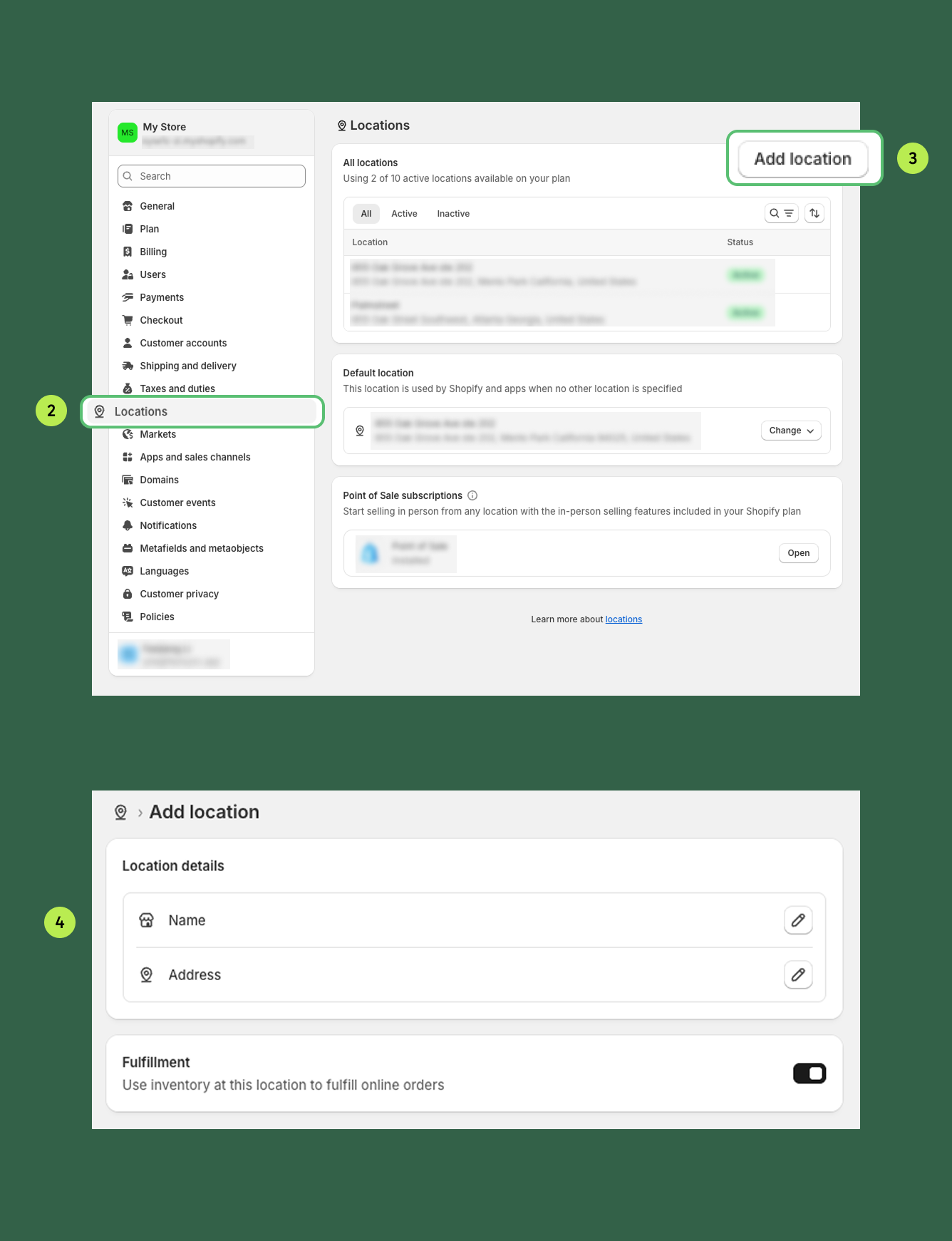
1. In Shopify, navigate to **Settings > Locations**
2. Click **Add location**
3. Enter the **Name** and **Address** for the new location
4. Follow the on-screen instructions to save the location details
### Step 2: **Assign Products to the Palmstreet Location**
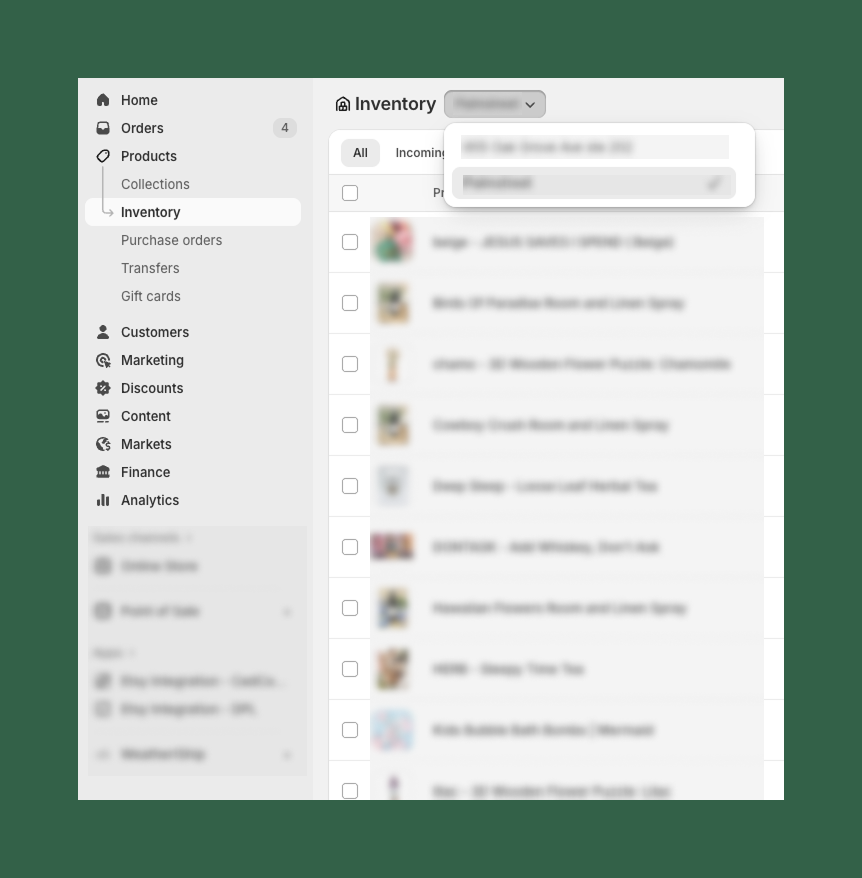
1. In Shopify, navigate to **Products > Inventory**
2. Select all products you want to add to your newly created Palmstreet location
4. Click **Create transfer**
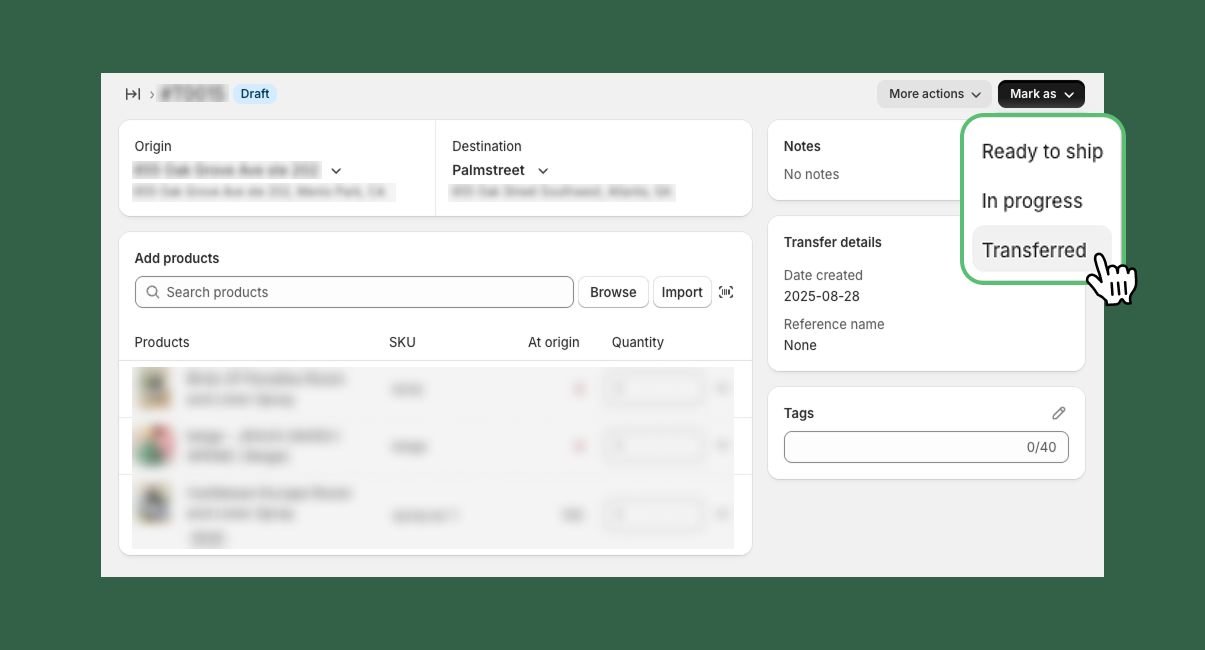
### Step 3: Complete the Transfer
1. Choose the **origin inventory** location
2. Set the **Palmstreet store location** you created as the destination
3. Click **Mark as > Transferred** to confirm the transfer to complete the process
#### Step 4: Sync the Location with Palmstreet
1. In your Palmstreet **Seller Hub**, select the corresponding location you created in Shopify
2. Click **Sync to Palmstreet** to complete the integration