> For the complete documentation index, see [llms.txt](https://help.palmstreet.app/llms.txt). Markdown versions of documentation pages are available by appending `.md` to page URLs; this page is available as [Markdown](https://help.palmstreet.app/seller/palmstreet-shipping-guide/order-fulfillment/how-to-fulfill-gift-orders.md).
# How to fulfill gift orders
#### What is a gift order?
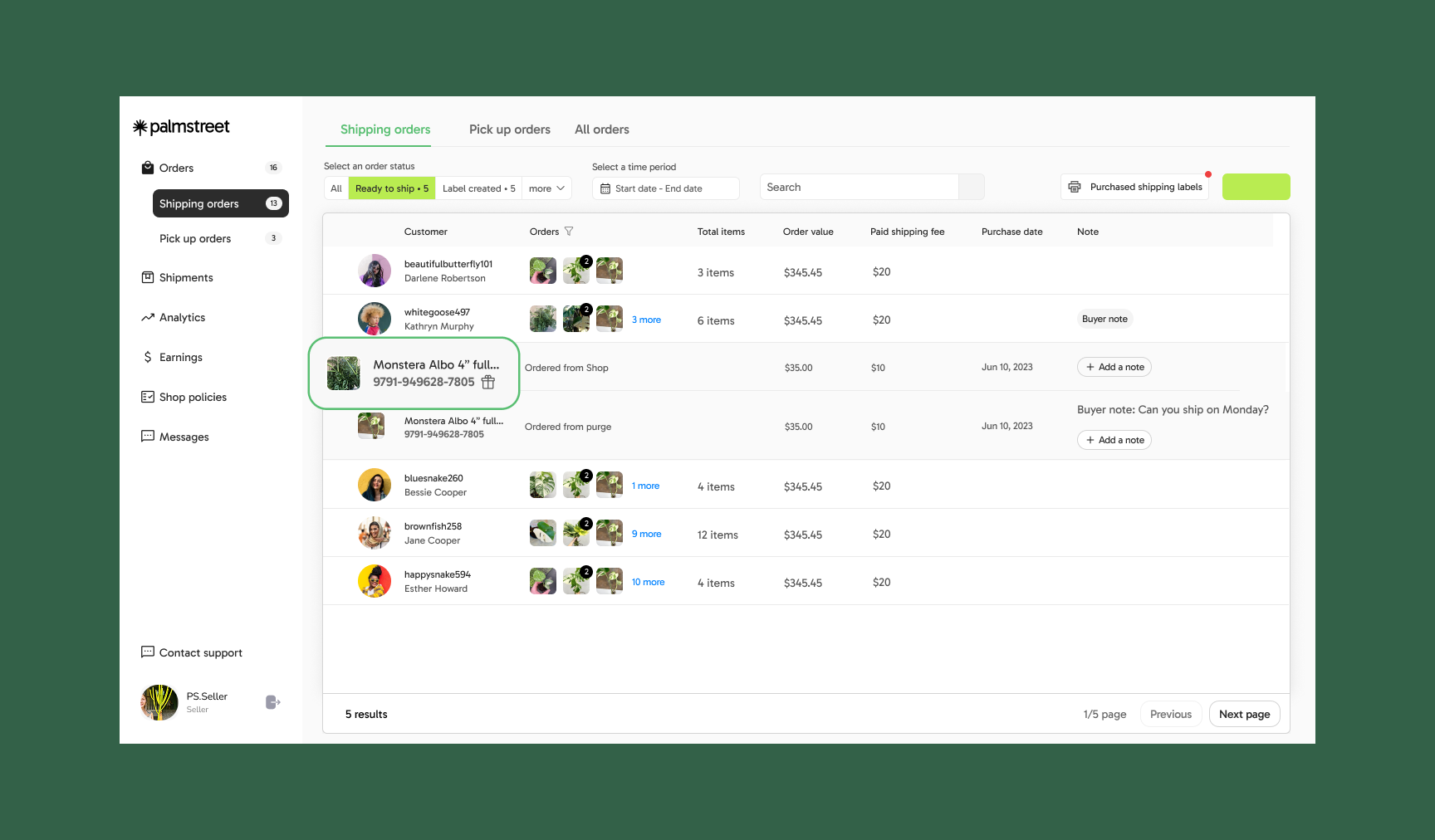
Buyers can choose to send eligible **Shop** and **Marketplace** orders as gifts. These orders are clearly marked and include:
* A **🎁 icon** or **"Gift Order"** tag
* The **recipient’s name and shipping address**
#### How to identify a gift order
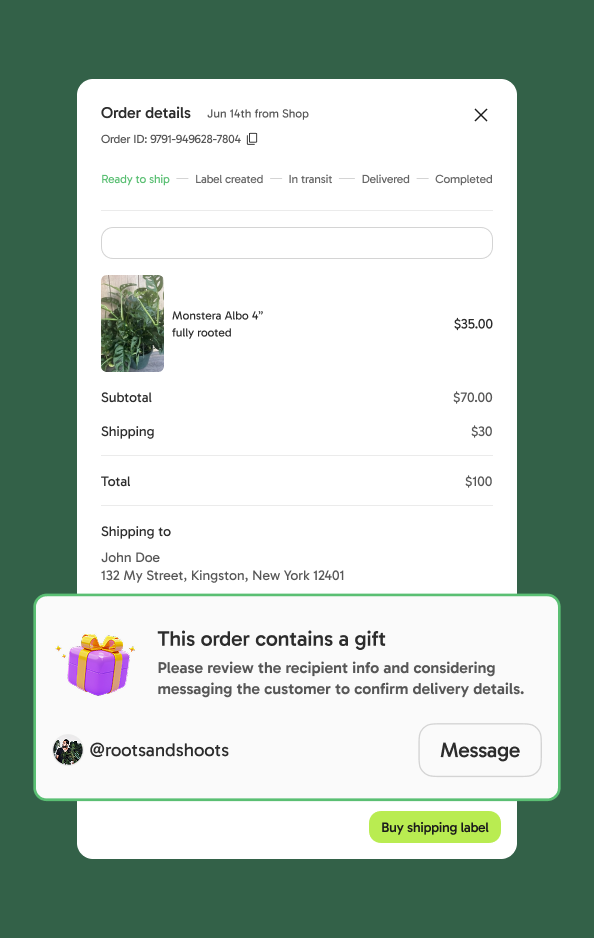
Gift orders are easy to spot and will be clearly marked in two places:
1. In **Seller Hub > My Orders,** gift orders are marked with a **🎁 badge** next to the order number.
1. On the **Order Details** page, gift orders will include:
* “🎁 **This order is a gift**” label
* A reminder to **contact the buyer directly** if any details are unclear
#### How to fulfill a gift order
Gift orders are processed the same way as regular orders. No gift wrapping, printed cards, or special packaging is required.
**Before shipping, be sure to:**
* Double-check the recipient’s shipping address.
* Contact the buyer if you have any questions about the order.
#### Helpful information
Please avoid contacting the recipient directly, it might spoil the surprise! All communication should go through the buyer.
#### FAQ
**Do I need to include a gift message or card in the package?**
Nope! When a gift order is purchased, Palmstreet will automatically send an email to the recipient with the sender’s name, the items included in the package, and the gift message.
**Can buyers send gifts to people who don’t have a Palmstreet account?**
Yes! The recipient doesn’t need a Palmstreet account to receive a gift order.
**Still need help?**
If your question wasn’t answered here, our Support team is always happy to help. You can also browse the [Help Center](https://help.palmstreet.app/) for more resources and commonly asked questions.