> For the complete documentation index, see [llms.txt](https://help.palmstreet.app/llms.txt). Markdown versions of documentation pages are available by appending `.md` to page URLs; this page is available as [Markdown](https://help.palmstreet.app/seller/palmstreet-shipping-guide/resolving-shipping-issues/how-to-process-order-cancellations-and-refunds.md).
# How to process order cancellations and refunds
Sometimes purchases don't go as planned. At Palmstreet, we support sellers to **cancel or refund** orders for their customers. However, please kindly note that **coupons are not refundable** **unless the coupon is still valid and the order is processed via cancellation** by the seller rather than refund.
### **Cancellation for Pending Shipments Orders**
Just navigate to **Profile > Settings > My Sales**\
**> Ready to fulfill**
Locate to click into the order of the buyer and scroll down to the bottom\
**>** **Cancel order**
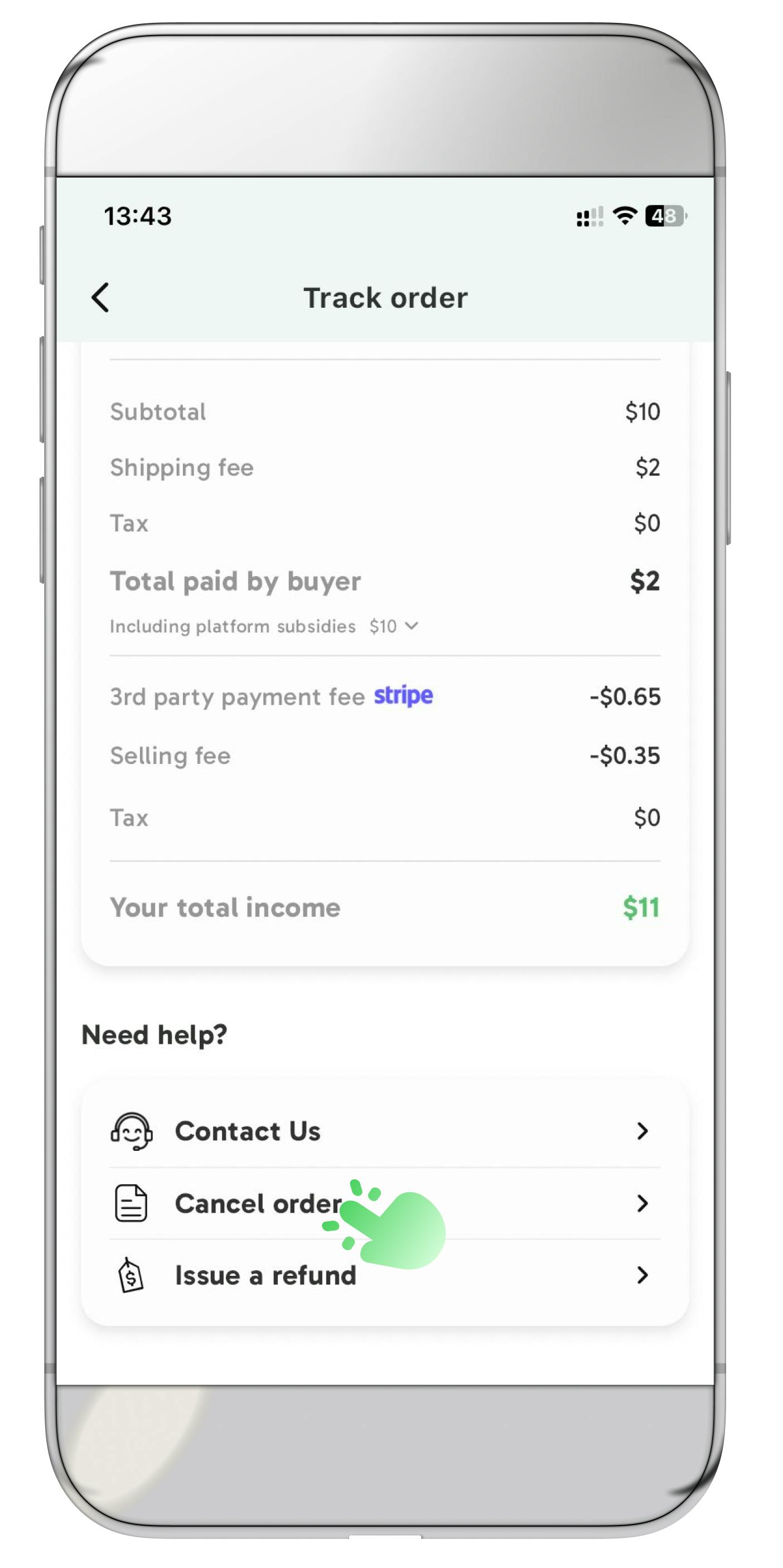 **> Select the actual reason of the cancellation > Cancel order & notify buyer**
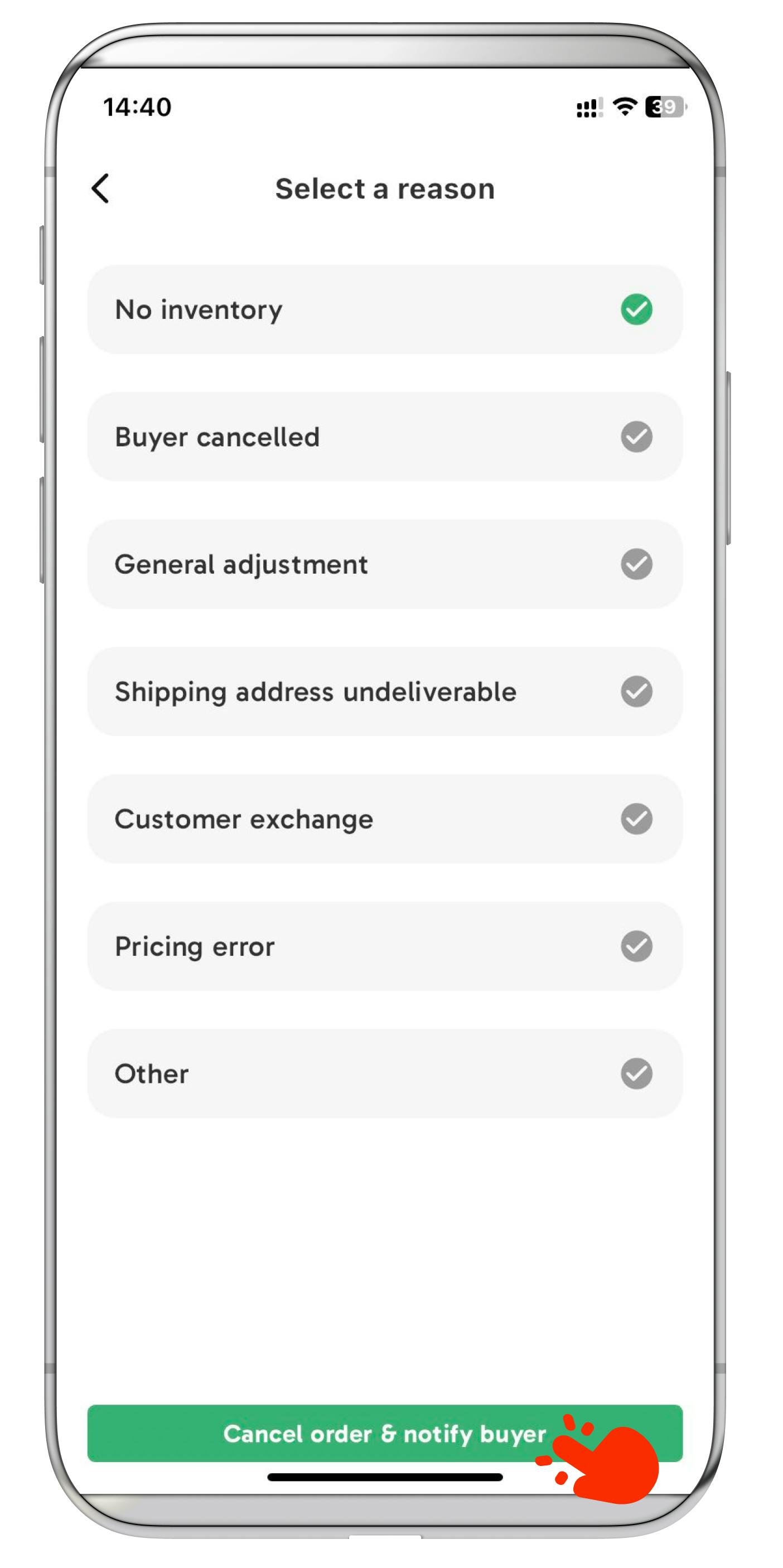 ### **Verify the Cancellation Status**
If the customer requests a refund to recover a used coupon which has not yet expired, process an order cancellation instead of a refund. This ensures the valid coupon back to the customer's account.
### **Verify the Cancellation Status**
If the customer requests a refund to recover a used coupon which has not yet expired, process an order cancellation instead of a refund. This ensures the valid coupon back to the customer's account.
 ### **Process Refunds in \*My Sales\***
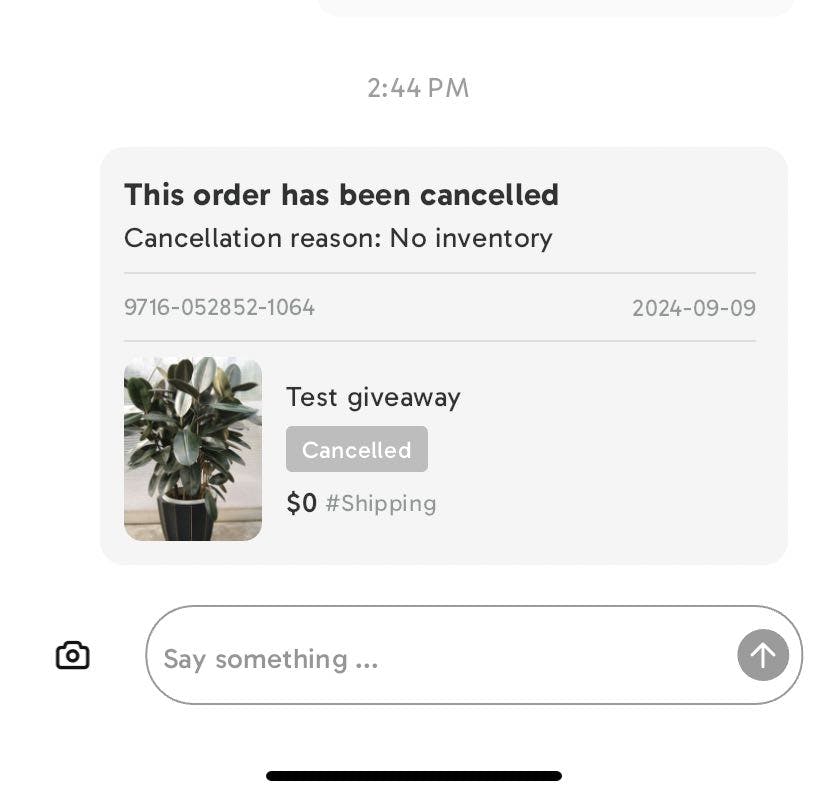
Locate to click into the order of the buyer and scroll down to the bottom
\> **Issue a Refund > Selecting the Actual Reason for the Refund**
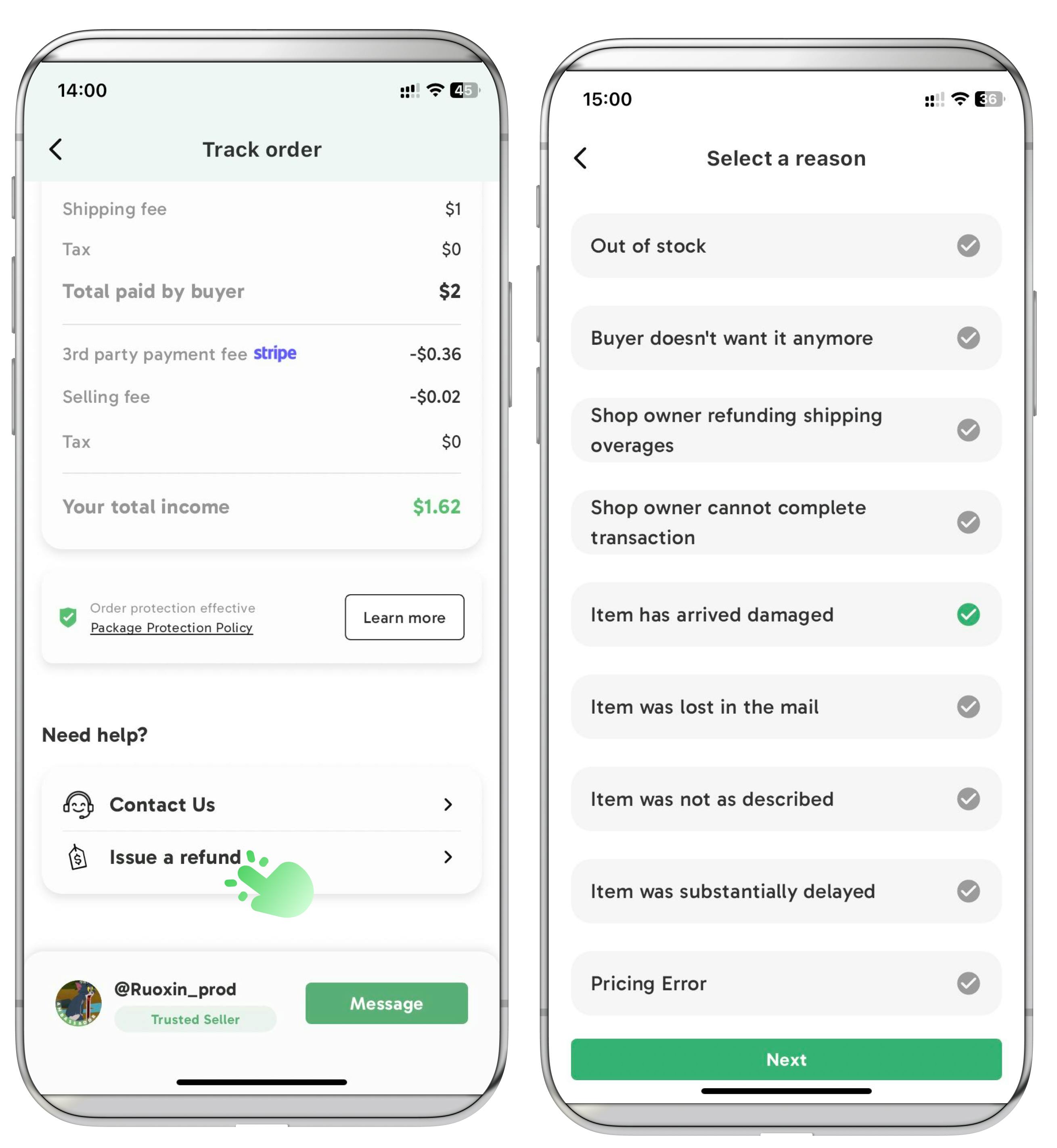
**> Next**\
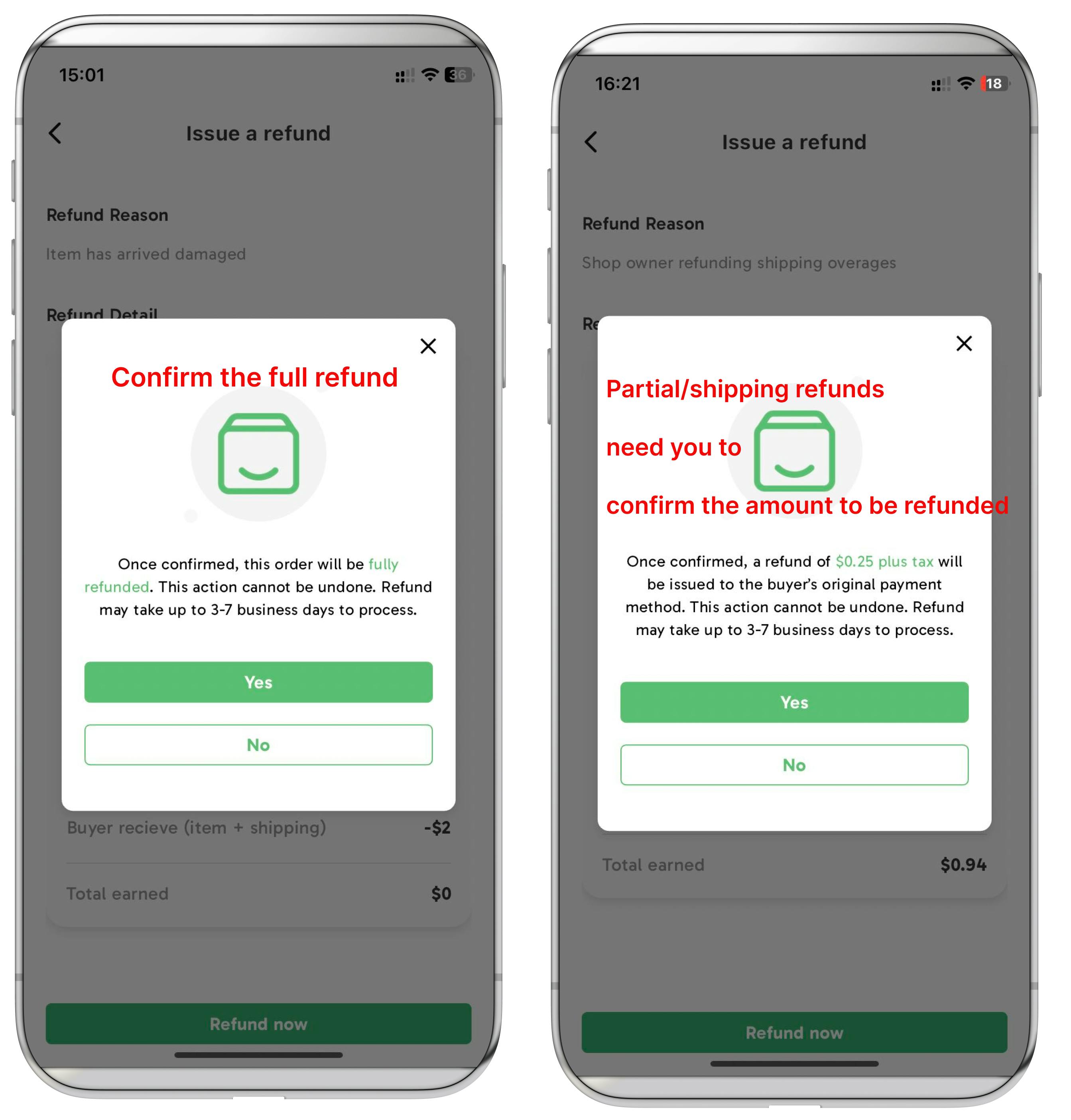
Operate Full/Partial/Shipping Refunds based on the condition\
Follow the steps on the screen to process it accordingly
### **Process Refunds in \*My Sales\***
Locate to click into the order of the buyer and scroll down to the bottom
\> **Issue a Refund > Selecting the Actual Reason for the Refund**

**> Next**\
Operate Full/Partial/Shipping Refunds based on the condition\
Follow the steps on the screen to process it accordingly
**Confirm the Refund**
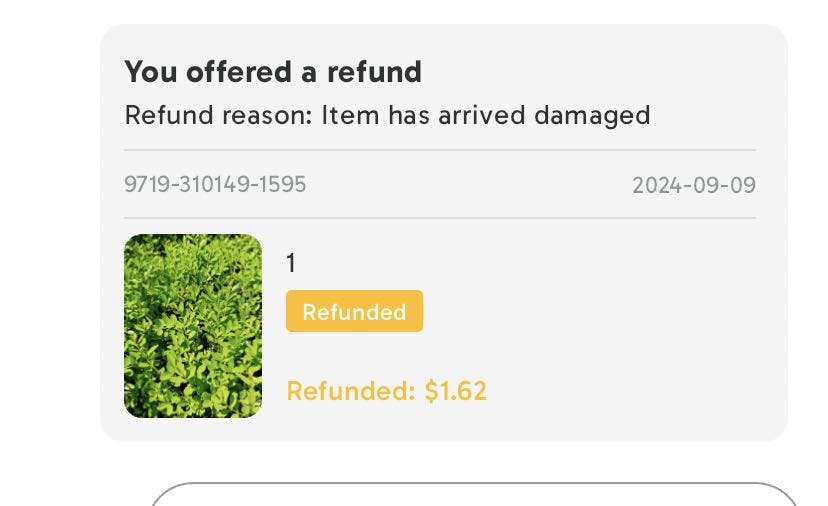
### Verify Refund Status
**Fully refunded**
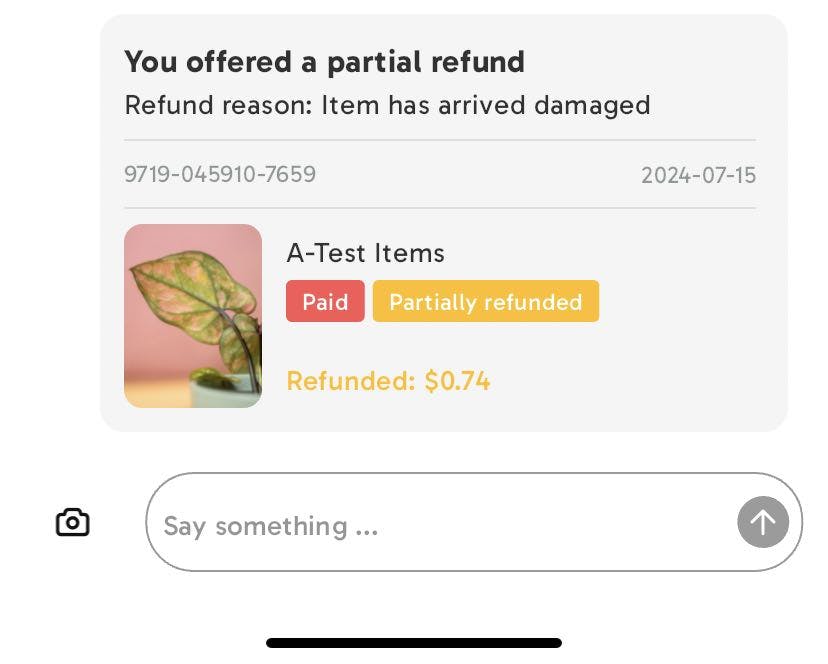
 **Partially refunded**
 **Notes:**\
At present, Palmstreet covers Stripe fees related to refunds. If the Stripe fees surpass $50, please reach out to our Palmstreet Support for a refund. The responsibility for these fees will either be transferred to the seller or the buyer.
### FAQs
**How Long Will the Refunded funds Reach the Original Payment Account?**
Once the refund is processed, it normally takes up to 7 business days for the funds to reach the orginal payment account, depending on the turnaround time of the bank.
**When Can Seller Process Refund for Orders?**
Sellers can process refunds for orders created within the past 60 days.
**How Partial Refunds Impact Order Status?**
A partial refund will not affect the order status. For example, if a partial refund is issued before shipping, the order will still remain in the 'paid' and 'ready to ship' status.
**How the Palmstreet credits refund work?**
Once the refund is processed, the credits used in the order will be available within 24 hours. Check the available credits by navigating to Profile > Settings > My credits
**If you encounter any issues regarding refunds, please feel free to contact the PalmstreetSupport account along with your order number.**
**Notes:**\
At present, Palmstreet covers Stripe fees related to refunds. If the Stripe fees surpass $50, please reach out to our Palmstreet Support for a refund. The responsibility for these fees will either be transferred to the seller or the buyer.
### FAQs
**How Long Will the Refunded funds Reach the Original Payment Account?**
Once the refund is processed, it normally takes up to 7 business days for the funds to reach the orginal payment account, depending on the turnaround time of the bank.
**When Can Seller Process Refund for Orders?**
Sellers can process refunds for orders created within the past 60 days.
**How Partial Refunds Impact Order Status?**
A partial refund will not affect the order status. For example, if a partial refund is issued before shipping, the order will still remain in the 'paid' and 'ready to ship' status.
**How the Palmstreet credits refund work?**
Once the refund is processed, the credits used in the order will be available within 24 hours. Check the available credits by navigating to Profile > Settings > My credits
**If you encounter any issues regarding refunds, please feel free to contact the PalmstreetSupport account along with your order number.**