> For the complete documentation index, see [llms.txt](https://help.palmstreet.app/llms.txt). Markdown versions of documentation pages are available by appending `.md` to page URLs; this page is available as [Markdown](https://help.palmstreet.app/seller/purge-management/how-to-manage-inventory-in-purge.md).
# How to manage inventory in Purge
Purge supports multi-inventory management, offering greater flexibility for handling stock and syncing with the shop. These features help maintain organization and streamline the selling process, ensuring inventory accuracy and efficiency.
### **Edit Inventory**
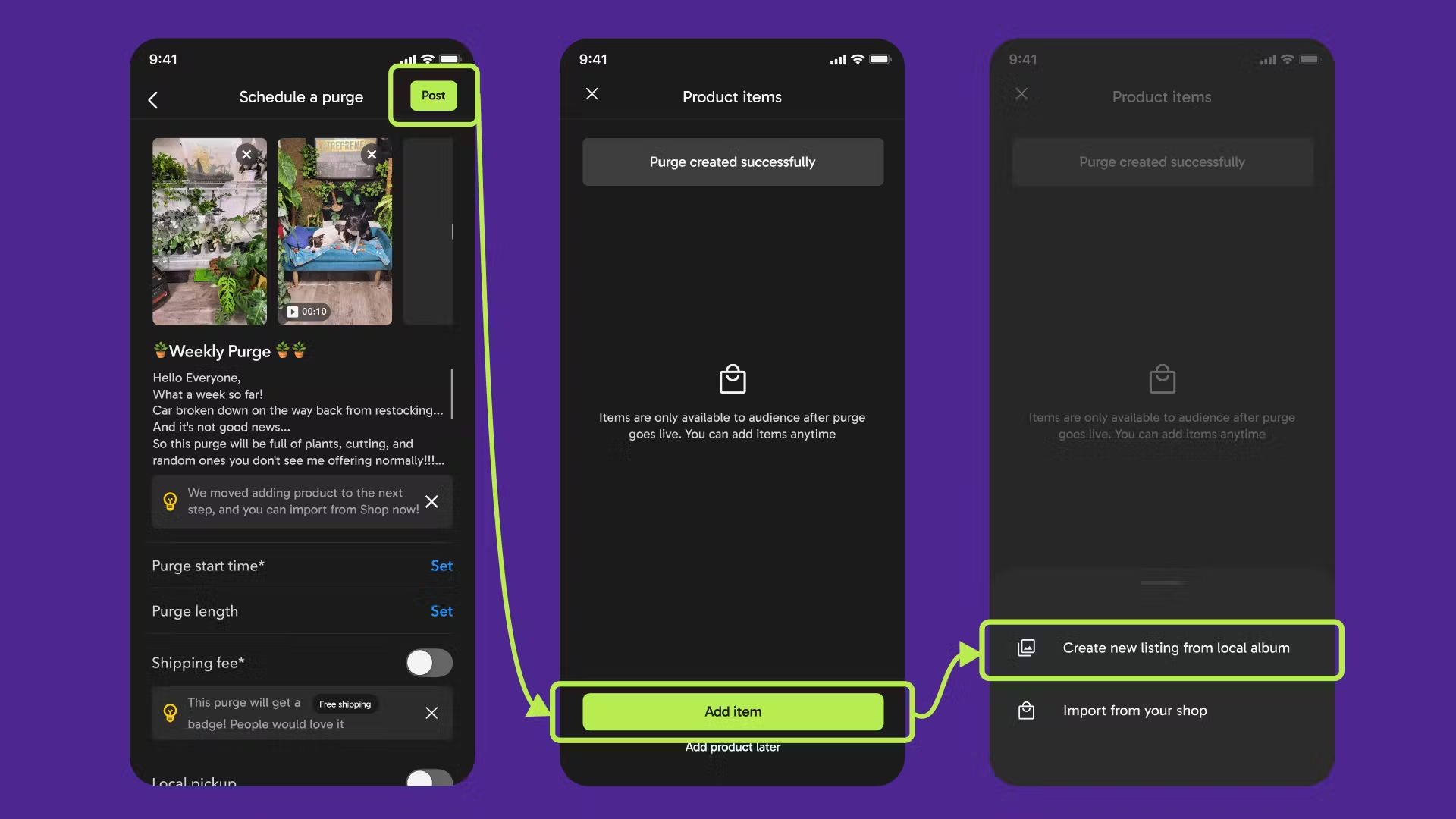
1\. Add item from local album to create a listing.
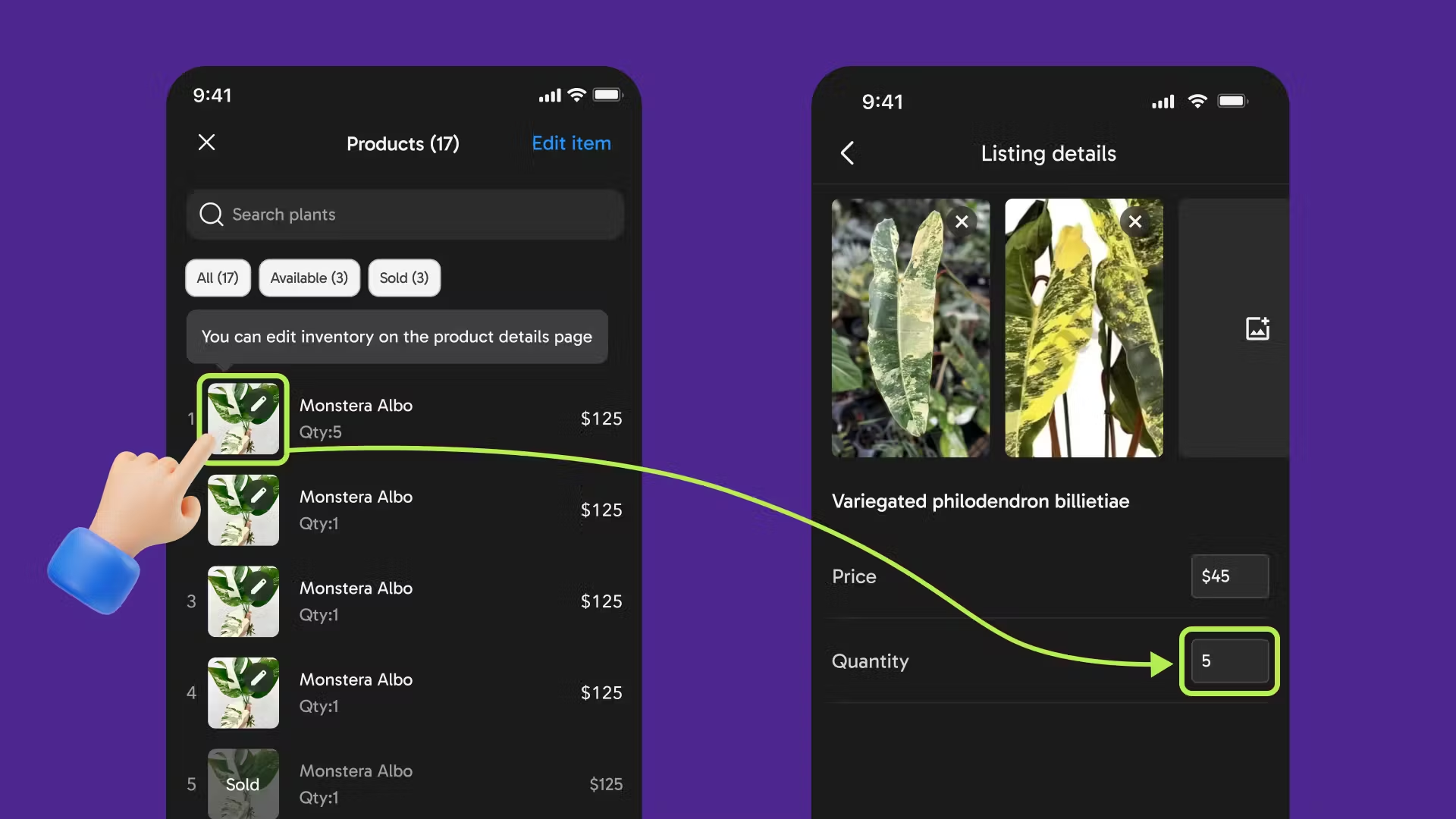
2\. Open the "Listing details" page to adjust the quantity as needed.
### **Import Inventory from the Shop**
Items imported from your shop share your shop inventory. If you change the quantity in a Purge, the same change applies to your shop stock.
### **Export Inventory Back to the Shop**
Purge items share your shop inventory, so there's nothing to export at the end — unsold items are already in your shop.
With these features, Purge streamlines inventory management, enabling efficient selling. To take advantage of these features, ensure the Palmstreet app is updated to version 8.8.23 or later.